The BudStacks Guide · Part 15
Cookies & Consent
Your storefront's cookie banner and privacy compliance — set once, correct for your region.
In your admin: /tenant-admin/cookie-settings
Concept
Your Compliance Region
What it’s for
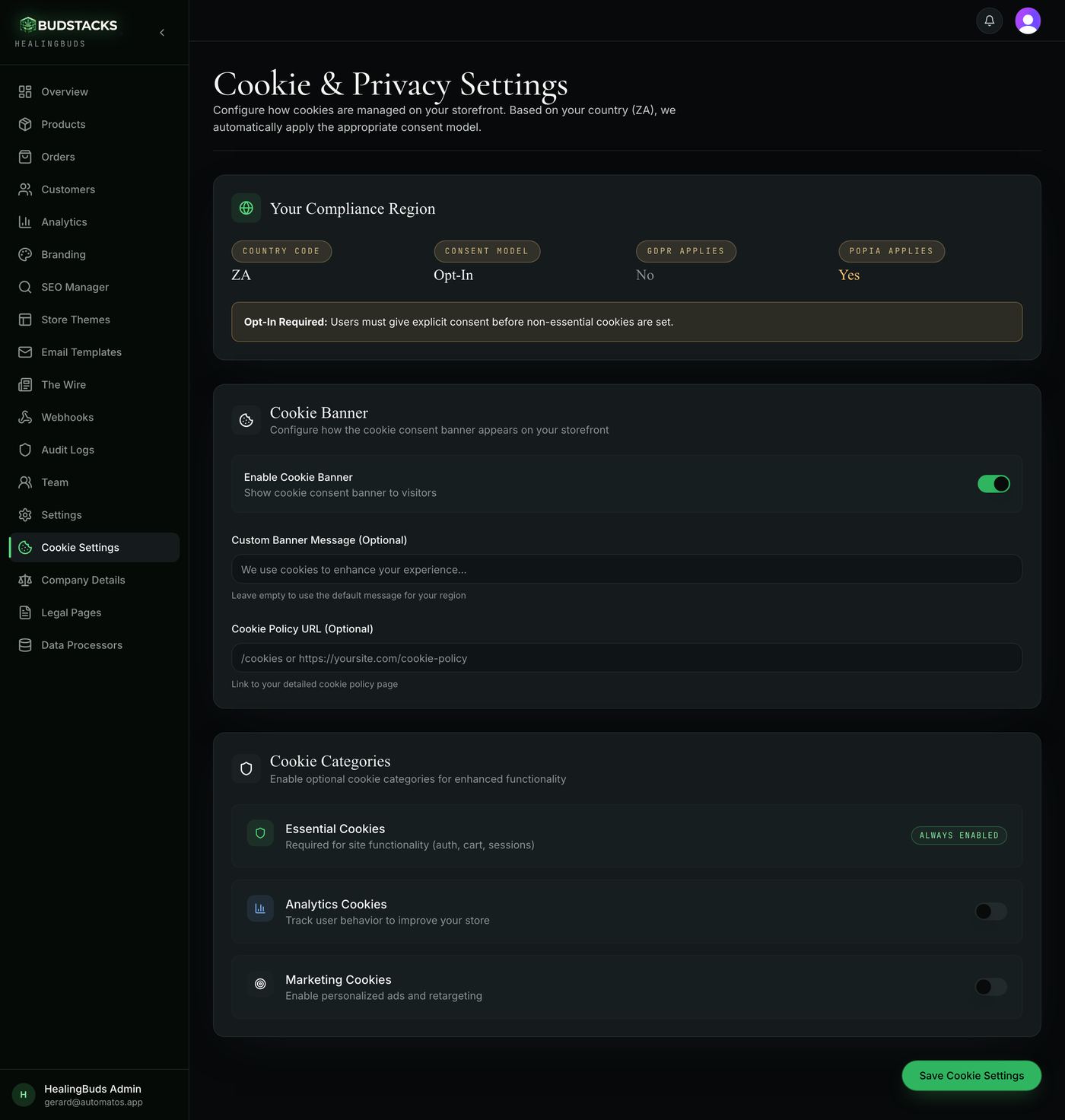
The first card tells you which privacy rules your store falls under. You do not choose any of it — it follows from your store's country, and everything else on the page is already built to match.
What it does
- Country Code is the two-letter code on your store profile. The other three values are worked out from it.
- Consent Model reads opt-in or opt-out. Opt-in means nothing beyond the essential cookies is set until a visitor agrees. Opt-out means the visitor can turn things off rather than having to turn them on.
- GDPR Applies reads Yes for the EU and the UK.
- POPIA Applies reads Yes for South Africa.
- Opt-in stores get an extra amber note on the card stating the rule in one line: explicit consent before any non-essential cookie.
- The EU, the UK, South Africa, Brazil, Switzerland, Norway, Iceland and Liechtenstein are treated as opt-in. The US and everywhere else are treated as opt-out.
Why you’ll use it
You never have to work out which privacy law your shop sits under, or what that law expects a cookie banner to do. One field on your profile decides it, and the storefront behaves accordingly from that moment.
- · All four values are read-only here. If the country is wrong, change Country Code on your profile page — opened from your account menu in the top bar — and this card follows.
- · A store with no country set is treated as opt-in: the strictest reading, chosen deliberately so a blank field can never quietly weaken your position.